🧟 Restore a deleted vocabulary from a backup
Note
When you restore or import a backup, a new vocabulary is created.You might need to manually delete the old (empty / damaged) vocabulary from the Settings → Languages.
Wokabulary automatically creates daily backups. If you accidentally delete a vocabulary or lose data in some other way, you can restore the complete vocabulary from a backup.
Backup browser
The easiest way to restore a previous state is the built-in backup browser.
You find it in Settings → Support → Restore backup.
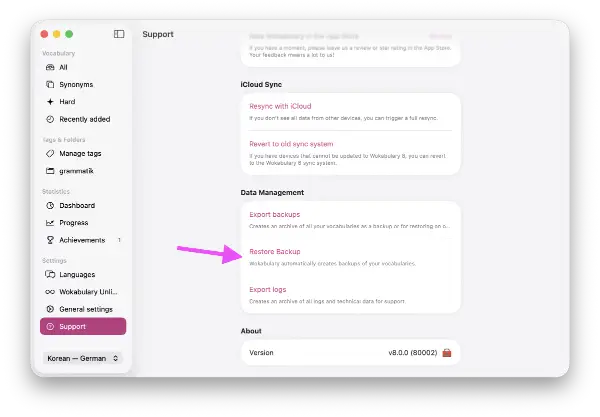

Restore backup files
When you manually create a full data export, you can simply re-import a vocabulary file from the export folder to restore them.