📦 Export all your data for backups
If needed, you can export all your Wokabulary data in one step.
The full data export includes all your vocabulary data, including learning progress, statistics, and achievements. This is useful to create a complete data backup.
The full data export also includes all automatically created backups.
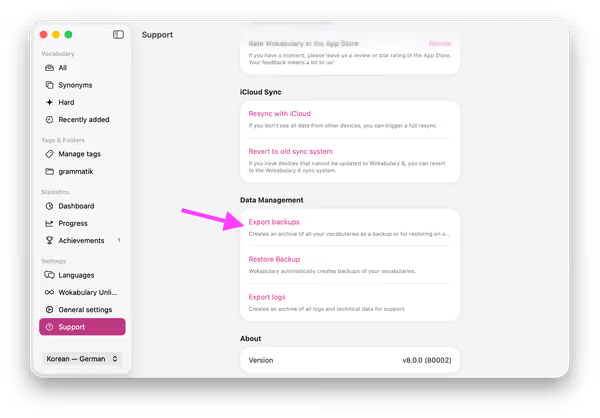
Full Data Export on the Mac
You find the Export function in Settings → Support → Export backups:
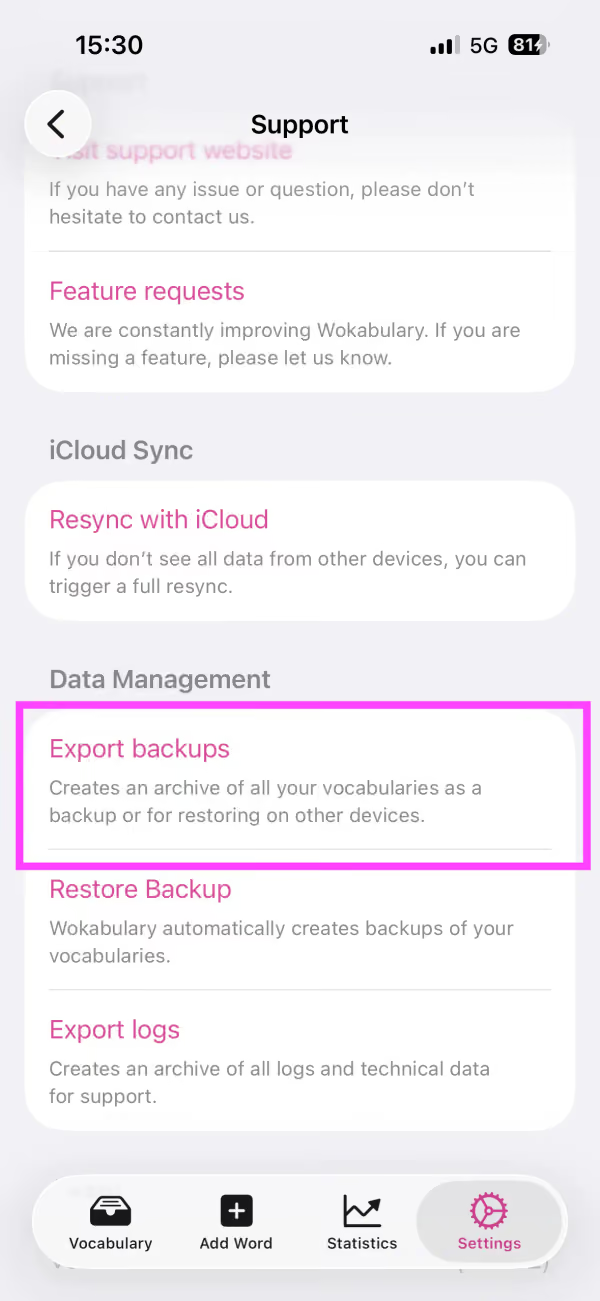
Full Data Export on iPhone
On the iPhone you find the export in Settings → Support → Export backups:
🔗 Related Articles
Tip
The exported file is an AAR (Apple Archive) file. You can unpack it (and modify it) simply by double clicking it.If you want to send the export to us as part of a support inquiry, feel free to inspect the contents beforehand.